This guide will show you how to fit Remote Central Locking to a 3Dr MK2 Punto which previously had no central locking at all. Firstly the central locking will be installed, then we will add a remote feature using a cheap alarm system. You could buy a stand-alone remote receiver unit for roughly the same amount, but at atleast with an alarm you have a deterent to theives aswell. For the central locking, we will be using one of the universal kits commonly available. However, we will not be using the motors from this kit - only the module itself and the wiring. Instead, we will be using replacement door locks from a salvage car with central locking fitted. This is for several reasons really; it is easier to fit the new door locks instead of the motors, The door locks do not require adjustment to get them to trigger just right, The door locks being a self-contained unit will be more reliable in the long run, and it is difficult to fit the motors due to the covers over the pushrods for the lock within the door.
Parts Used:
Pair of Salvage C/L Door Locks
Pair of Salvage Door Wiring Looms
Universal C/L Kit
Cheap Alarm
Two strips of 5A Terminal Blocks
Total Cost:
By sourcing the Alarm off eBay, I got it for £20.50 delivered. The Universal C/L Kit (also off eBay) was £15.98 delivered. The salvage parts were £20 from a breakers. The terminal blocks were £1.25 a strip from my local DIY store. Total cost came to £59 - a little more than I was hoping for, but it was worth it!
Time Spent:
1 and a half easy days - Could easily be done in one. I spent the first day at the breakers and then installing the Central Locking. This took me longer than it should take you as I had to get my head around the wiring diagrams and routing them through the car. The second day was one morning installing the Alarm.
Difficulty:
Moderate - just a few fiddly bits along the way. To be honest, the hardest part was working through the wiring diagrams to figure out how to wire the Fiat locks into the Universal C/L module correctly. Now I've done it, I've listed all the connections for you later in this guide so you don't need to worry about it.
Disclaimer: No-one is responsible for anything resulting from this guide other than yourself. If you don't feel competant enough to do this, then don't.
Parts Used:
Pair of Salvage C/L Door Locks
Pair of Salvage Door Wiring Looms
Universal C/L Kit
Cheap Alarm
Two strips of 5A Terminal Blocks
Total Cost:
By sourcing the Alarm off eBay, I got it for £20.50 delivered. The Universal C/L Kit (also off eBay) was £15.98 delivered. The salvage parts were £20 from a breakers. The terminal blocks were £1.25 a strip from my local DIY store. Total cost came to £59 - a little more than I was hoping for, but it was worth it!
Time Spent:
1 and a half easy days - Could easily be done in one. I spent the first day at the breakers and then installing the Central Locking. This took me longer than it should take you as I had to get my head around the wiring diagrams and routing them through the car. The second day was one morning installing the Alarm.
Difficulty:
Moderate - just a few fiddly bits along the way. To be honest, the hardest part was working through the wiring diagrams to figure out how to wire the Fiat locks into the Universal C/L module correctly. Now I've done it, I've listed all the connections for you later in this guide so you don't need to worry about it.
Disclaimer: No-one is responsible for anything resulting from this guide other than yourself. If you don't feel competant enough to do this, then don't.
The Theory
When I came to fit C/L to my car, I was originally going to use the Universal Kit as whole. But upon removing the door card, I realised it would be much more difficult to fit the motors to this MK2 than it was when I did it in my MK1. This was due to the fact that there was no where to attach the motors pushrod to the existing door lock mechanism without cutting away at some of the protection around the door pin rod. Rather than compromise the security of it, I decided to come up with an alternative idea.
I thought about using the door locks from a MK2 with C/L. After looking at a wiring diagram for the C/L of a MK2, it was apparent that the systems worked in almost identical ways. Infact the only difference being that the Fiat locks had a third trigger that would not be required in this system (hence why the Fiat locks have 6 pins and the Universal motors only 5 wires.) So in theory going by the diagrams, if I got the wiring right and just leave the third trigger disconnected, it would be fully compatable with the Universal C/L module.
Getting the Parts!
First things first! My alarm and C/L Kit had arrived. I got mine off eBay but if you need them the same day, Maplin sell the C/L Kit for £21.99. I also belive they sell a C/L compatable Alarm for around £40, but double check with the assistant. The terminal blocks were bought from my local DIY store. You may wish to use something other than these now that I have a list of the connections, but as I anticipated a lot of faffing around getting the connections right, terminal blocks seemed the way to go.
Next, the locks and door wiring. I went to my favorite breakers in Dewsbury who always have around 30 Fiats in for breaking, 10 or so of these are usually MK2 Puntos - I was bound to find what I was after!


This car was going to be my victim - It had electric window switches in the centre console so chances are it had C/L aswell. It was well spaced from the other cars meaning I could swing the doors wide open to disconnect the wiring by the door hinge. Also there was no rainwater in the car and the door cards/windows/keylocks were still fitted reducing the chance of me taking a lock that may be water-damaged.

So its time to strip down doors - don't just rag the door cards off. This disassembly will help you learn how to remove the door cards without damaging anything. There is a detailed description of the removal later in this guide when I do it on my car, so just refer to that for stripping the parts from the donor.
Heres the door card removed. You can clearly see in this photo the door wiring we will also be taking - this just unclips from the door in various places.

The wiring seperates here... You will also need the car end of the connection aswell! Follow the wire through into the car and cut it with as much length as possible!

With the parts removed, time to go home (stopping off at the chippy on the way for a fish butty lunch!) You should have 2x Door locks, 2x Door wiring looms, 2x Connectors to the door wiring with a good length of wiring on them. You should now be able to tell easily whether the new door locks are the C/L type. The C/L ones have a white plastic part on the bottom of them containing the motor and a connector.
As mentioned, refer to the next page of this guide for detailed instructions of how to remove these part when I remove them from my own.
Stripping Your Doors
Work on one side at a time - I started at the passenger side.
Pull the rubber cover off the wing-mirror adjuster and use a small flat-headed screwdriver to remove the little screw cover in the corner.

Undo the adjuster fastner using a pair of pliers and unscrew the small screw in the corner. Then carefully prise the trim off, unplugging the tweeter connector before removing the trim.

Prise out the screw cover on the door handle and then undo all three hex screws. Remove the handle.

To remove the window winder, theres a little C clip holding it in place under the plastic ring. Using a thing flat-bladed screwdriver, flick it out in the way shown in the photo - this bit can be a pain.

Prise off the speaker mesh.

Unscrew and unplug the speaker to remove it.

Your door should now look like this. Time to remove the door card.

There are several screws around the speaker pod and a few across the bottom pocket. Once these are undone, carefully pull the door card away starting at the bottom. There are a couple of clips on the rearmost edge of the door card which must be removed gently to avoid snapping them... a big flat-headed screwdriver helps here to prise them out gently. Now that all the fixing are undone, push the card upwards to unhang it from the top edge and remove the card completely. Note: Please excuse the pink car mats in this photo, this is the car my girlfriend usually drives


The protection sheet is sealed all the way around. Remove it carefully with a flat-headed screwdriver along all but the bottom edge to avoid tearing it (I know mine is torn, someones obviously been there before and not been so careful.) If there is a tear, tape it back up. When you come to replace the sheet, you may need some sealent to stick it back on if the original adhesive has lost its tackyness.

Removing The Lock
There are three rods attached to the lock that must be removed to clear way to get the old lock out and the new lock in. These are; the door pin, the outer handle and the inner handle. The rods are held to the lock with little plastic clips. Firstly we need to remove the outer handle and the metal protection behind it - just 2 hex bolts.

The outer handle will now be hanging but don't try to remove it yet - its still attached to the lock. The actual key lock is next to remove by using a pair of pliers to slide out the metal clip holding it in place - then the key lock will drop out.

Now to disconnect that linkage from the outside handle to the lock. The rod is held to the lock with a little plastic clip that needs to be rotated away from the rod to unclip it, then the rod will be free.

You can then get the outer handle out of the way by wiggling it out of the door.

Now the door pin. The clip for this is most easily accessed using a flat-headed screwdriver through a cut out on the inside of the door near the lock.

Once its unclipped, pull the door pin out through the top.

Finally the inner door handle rod. You will need to unclip this at both the handle and lock end. Start with the handle and unclip it to free the rod. You may find it easier to remove the handle with the two screws to pull the rod out of the way.

Follow the rod down to the lock and unclip it. This one can be a bit fiddley. Then slide the rod out of the way of the lock.

The lock is now disconnected from everything and can just be removed by unscrewing the 3 Torx bolts.


The new C/L lock is bolted in its place, and all rods and handles are reattached in reverse order of removal.

Door Wiring
Now to tackle the new door wiring. Disconnect the large connector near the door hinge by pulling up the blue clip and seperating the connector.

Remove the socket from the door by pushing the 2 tabs on the top and bottom of the socket and pushing the socket into the door.

The unclip all the wiring and remove the loom from the door. Here you can see the size of the old loom (top) compared to the new one (bottom.) The new loom has extra cabling for the cental locking and electric window (not used in our case, so this section of wiring can be cut if you wish - its the only other 2 pin connector that isn't for the door speaker or tweeter.)

Then install the new loom into the door, connecting the central locking motor. There will be holes already pre-cut into the door for all the wiring clips. You will notice I have left the electric window connector in place incase I want to install them at a later date - I just clipped the connector to the door metalwork to stop it rattling while driving. Push the large connector back into the hole in the door by the hinge and it will click securely into place.

Then refit the protective sheet - remember to tape up any tears, and use some sealent if the sheet won't stick back into place.

Refit the doorcard and all its fittings, and connect the door back up to the car at the door hinge.

Test the radio to ensure the speaker and tweeter are both still working. Also test the lock with the key, by locking it with the door pin, and that both inner and outer door handles are working.
Then do it all over again on the other door!
Central Locking Wiring
First we will deal with the module and its wiring. Unpack your Universal C/L Kit and untangle the wiring. There is a set of 5 wires in Green, Blue, White, Black and Brown that are very long and branch off to 4 sets of connectors. The first two are a complete set of five. The last two only have the green and blue wires. It's these last two sets that will not be required and can be cut off at the point they branch from the rest. Insulate them so they don't short on any bodywork. You will also notice 2 short wires with bullet terminals that are brown and white. These are for connecting to the alarm and so need to be saved - just stick some tape on the ends for now and make sure there not tucked away. Finally you have your power cables - Black and Red. The red wire will be fused. This is the first pair we will deal with. Start by disconnecting the battery negative terminal.
I decided to store my Central Locking Module (the matchbox sized black box) in this compartment in the glovebox.

This is because it is easy enough to take a live feed and ground from the radio to here and the module sits in here very nicely without rattling despite not being physically attached. It is also reasonably accessible should I have any problems with it, and by using the passenger side of the car rather than the drivers side, I have more room to work in and less other wires to contend with. So I fed the wiring connector up through the bottom to the left of the heater/blower motor, pulled it out through this hole and connected it to the module, then put the module down into the gap and replaced the cover.
As mentioned, I took my supply directly from the radio circuit by removing the radio and splicing into the power cables. I then fed the cable down the void to the left-hand side of the radio where I could pull it through into the glovebox. The radio was then replaced. With the wire now in the glovebox, I fed it down the back of the glovebox out of sight to my module and connected it up.
Pull out the in-line fuse for the Central Locking Module for now and reconnect the battery.
Next to route the central locking wires. The shorter set of five will go to the passenger side, and the longer set to the drivers side. Firstly you need to undo the 2 screws holding the trim on the sills and remove the trim - this is so we can pull the carpets back. Do it on both sides. Pull the passenger side carpet back. The drivers side wont pull back without removing some other bits, but dont worry about that - you can work around it with the carpet as it is.
The passenger side wires will just go directly from the module straight behind the carpet so no worries there - we just need to concentrate on getting the drivers side wires over to the other side. Don't worry about putting them under the carpets yet - just feed them under the centre console first and then tuck them behind afterwards. Once your through to the other end of the console, you need to feed it BELOW the steering column. Theres a big rubber grommet there that will ensure the steering column doesn't wear against the cables, but prevents the carpet being lifted. You should still be able to feed it under and through out the other end without having to lift the carpet out. Then the carpet is held by the bonnet release handle. Again you should be able to feed it under the carpet without having to remove anything. Your set of 5 wires should now by out near the door hinge but on the inside of the car. Just tidy up now and be sure the wires arn't visible anywhere.
Connecting Up The Passenger Side
Working by the door hinge, disconnect the big door connector as before. Then pull back the rubber sleeve from the plug and cut the wires as close to the plug as possible. Then pull the big rubber bung grommet out inside the car and pull the wiring through. Discard the old rubber sleeve.

This is the salvage plug we will be replacing it with (left) with the just removed plug on the right.
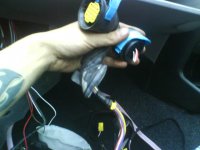
Feed the wires of the new plug through from the door hinge area into the car. Fit the rubber sleeve into the hole using a big flat headed screwdriver on the edges to pop it into place. Reconnect the connector. Here you can see it fitted with the new connector in place.
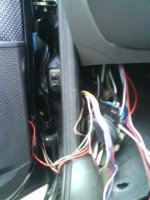
The big rubber grommet may have insulation tape wrapped around the inside which will need to be removed. Pull the 4 old door wire out through it and feed the new wire in through the back apart from the two thick purple wires that are for the non-existant electric windows.
I just would these up and left them in the cavity. Also you can leave the thin Brown/Green wire behind aswell, as this is for that trigger we talked about at the beginning of the guide that isn't required for this central locking system.
You should now have 9 open ended wires coming through the big grommet:
- White/Green, Blue/Purple, Black/Pink (Thin Wires) - Central Locking Triggers
- Grey, Yellow (Thick Wires) - Central Locking Motor
- 2x White/Black, 2x Red/Black (Thick Wires) - Speaker/Tweeter Wires
Because there are 2 sets of speaker wires of the same colour, this can get tricky. Fortunatly, wires of the same colour go to a connector block and are connected anyway, so theres no seperate channel for tweeter and speaker, and so no chance of mixing them up in that respect.
Shorten the wires to a suitable length so you have plenty of length left to work with, but not so much that your carpet will be buldging when your finished. Connect the first White/Black wire to a White/Black wire from the car, and the second to the other. Turn the radio on. Connect a Red/Black wire to a Red/Black from the car. If theres no sound from either the tweeter or speaker, try the other Red/Black. When you have sound from either the speaker or the tweeter, connect them together. Connect the two remaining Red/Black wires together and you should now have sound from both the tweeter and the speaker on that door. Switch the radio off.
Now for the C/L wires. Again, shorten the wires to a suitable length so you have plenty of length left to work with, but not so much that your carpet will be buldging when your finished. Connect as follows:
DOOR WIRE COLOUR > CENTRAL LOCKING WIRE COLOUR
Yellow > Blue
Grey > Green
Pink/Black > Black
White/Green > White
Purple/Blue > Brown
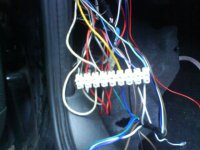
Replace the grommet, ensure all connections are good and can not short on anything, and tidy them away behind the carpet - Remember to leave out the Brown and White wires from the module for the alarm that we talked about earlier, were going to need these soon! Fit the carpet back properly, then replace the sill trim on this side.
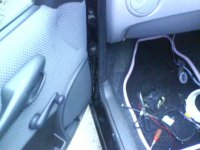
Note: Please excuse the pink car mats, this is the car my girlfriend usually drives
Connecting Up The Drivers Side
Very similar, but different wire colours.

Fit the salvage plug as before and feed the wires through. On this side the electric window and speaker wires are very similar in colour, so this time pull the electric window wires through the grommet aswell until we have concluded which wires are infact the unneeded electric window wires. Therefore the only wire you will not be pulling through the grommet on this side is a thin Grey/Brown wire (unneeded trigger wire.) Shorten the wires to a suitable length so you have plenty of length left to work with, but not so much that your carpet will be buldging when your finished.
The speaker wiring issue becomes even trickier on this side with the confusion over wire colours.
Firstly, connect a thick Pink/Black wire to one from the car and do the same with the other pair of thick Pink/Black wires - Be careful here because one of the thinner wires is also Pink/Black - you are only working with the THICK wires for now. You will have 4 Purple wires. 2 of these are disconnected (would usually go to electric window.) Pick a Purple/Black wire from the car. Turn the radio on. Try this wire on each purple wire from the door until you have sound from either the tweeter or the speaker. Connect them when you have sound. Now try the other Purple/Black wire from the car on the remaining 3 Purple wires from the door. When you have sound from both the tweeter and speaker, connect the wires. The two remaining purple wires can be pushed back through the grommet and wound up and left in the cavity.
Now for the C/L wires. Again, shorten the wires to a suitable length so you have plenty of length left to work with, but not so much that your carpet will be buldging when your finished. Connect as follows:
DOOR WIRE COLOUR > CENTRAL LOCKING WIRE COLOUR
Yellow > Blue
Grey > Green
Pink/Black > Black
White/Black > White
Blue/Black > Brown

Replace the grommet, ensure all connections are good and can not short on anything, and tidy them away behind the carpet. Fit the carpet back properly, then replace the sill trim.
Central Locking Complete
That's it! That's the central locking done. The only wires you should have visible now are the Brown and White wires from the C/L module ready to go to the alarm. Of course, if you don't want the remote feature or an alarm, just stop here and tuck those two remaining wires away. The system will work perfectly well as a standard central locking system without remote.
Replace the fuse for the central locking module and give it a whirl!
I WILL SHORTLY BE ADDING THE FINAL FEW PAGES TO THIS GUIDE WHERE WE WILL CONNECT THE CENTRAL LOCKING UP TO THE ALARM TO ADD THE REMOTE FEATURE TO THE CENTRAL LOCKING SYSTEM.