richardofswansea
New member
- Joined
- Apr 9, 2012
- Messages
- 5
- Points
- 2
Hi folks,
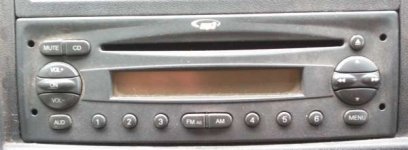
I've got a 2007 Ducato with the standard CD Radio (OEM, made for Fiat by Blaupunkt). To play music from an external MP3 player or from my phone I'm currently using an FM transmitter, but the sound isn't great and I'm wondering if there's a neater solution. The device is closely integrated with the van's management system, so I know tweaks may not be straightforward.
If you press the 'CD' button with no CD in the tray, the display says 'AUX'. The Sound System Manual refers to "EXT function (external audio source control)". Both these things suggest it can accept signal from an external or auxilary sound source, but the only option mentioned in the manual is Fiat's own CD changer, fitted by the dealer.
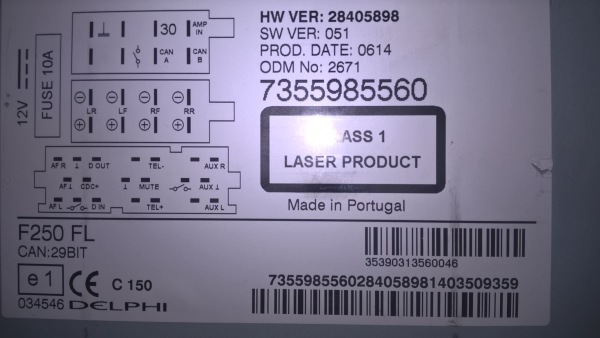
I bought a Blaupunkt Aux adaptor from Ebay. The vendor warned that it wouldn't work with OEM kit, but it was cheap enough to give it a go. It fits nicely into the back of the unit and connects to inputs which are labelled 'AF-R', 'AF-L' and 'AF-ground'. That seems reasonable so far, but there's no sound.
Maybe relevant - probably not; to fit the aux adaptor I have to unplug a large black connector block which only connects to three terminals; 'RC-A', 'RC-B' and ground. Having it unplugged has no effect. I'm guessing it's for the steering wheel remote controls that I don't have.
Youtube shows several people fitting auxilary inputs to old car stereos, but I've looked inside the Ducato unit and it's not at all obvious where the connection would have to be made.
Where next? Does anyone know if there's a trick to getting it to accept sound from an external source? Maybe something needs to be set on the body computer?
Richard
I've got a 2007 Ducato with the standard CD Radio (OEM, made for Fiat by Blaupunkt). To play music from an external MP3 player or from my phone I'm currently using an FM transmitter, but the sound isn't great and I'm wondering if there's a neater solution. The device is closely integrated with the van's management system, so I know tweaks may not be straightforward.
If you press the 'CD' button with no CD in the tray, the display says 'AUX'. The Sound System Manual refers to "EXT function (external audio source control)". Both these things suggest it can accept signal from an external or auxilary sound source, but the only option mentioned in the manual is Fiat's own CD changer, fitted by the dealer.
I bought a Blaupunkt Aux adaptor from Ebay. The vendor warned that it wouldn't work with OEM kit, but it was cheap enough to give it a go. It fits nicely into the back of the unit and connects to inputs which are labelled 'AF-R', 'AF-L' and 'AF-ground'. That seems reasonable so far, but there's no sound.
Maybe relevant - probably not; to fit the aux adaptor I have to unplug a large black connector block which only connects to three terminals; 'RC-A', 'RC-B' and ground. Having it unplugged has no effect. I'm guessing it's for the steering wheel remote controls that I don't have.
Youtube shows several people fitting auxilary inputs to old car stereos, but I've looked inside the Ducato unit and it's not at all obvious where the connection would have to be made.
Where next? Does anyone know if there's a trick to getting it to accept sound from an external source? Maybe something needs to be set on the body computer?
Richard